
How I Use AI Beyond Coding (2025 Edition)
Using AI to think better, not to think for me

TL;DR
I use AI to augment my workflows, not replace them.
It doesn’t think for me. It helps me think better.
Brainstorming, writing, newsletters, research: the specifics differ, but the pattern is the same–I stay in control, AI helps me get there faster.
Most AI advice is about delegation–offload this, automate that, let the agent handle it.
That’s not how I use it. AI has become part of how I work—not by replacing what I do, but by making it better: clearer thinking, less busywork, better results.
My AI Stack
Claude Pro / Max subscription
PerplexityGrok (Perplexity sub expired, so didn’t renew it yet, trying Grok instead)
Brainstorming
After coding, this is probably my most-used workflow and also the one that I enjoy the most.
Sometimes I have a fully formed idea. More often, I have maybe 70% of something–a rough direction or a few scattered thoughts, but nothing I can articulate clearly (yet).
That’s when I open a conversation with Claude. Not to generate ideas for me, but to have something to bounce thoughts off. It acts as a sounding board, helping me figure out what I actually want to say.
(This post was planned exactly this way. I had a rough idea about sharing how I use AI, and the structure emerged through conversation.)
You can see excerpts from a recent brainstorming session below. Full transcript here.


How this works: I use something called “skills” in Claude. These are instructions that shape how Claude responds. It is now an open standard and available as a feature in some popular AI products.
My brainstorming skill is set up to ask clarifying questions rather than generate content–I talk through what I’m thinking, it asks questions, I answer, and through that back-and-forth, my thinking gets clearer.
Sometimes I’ll start by dictating rough thoughts (using VoiceInk or MacWhisper), then refine them in conversation. Voice → rough dump → AI-assisted refinement.
Writing
The same idea applies to writing too. I have different skills set up for various types of content: one for documentation, one for prompt engineering, one for writing blog posts and more.
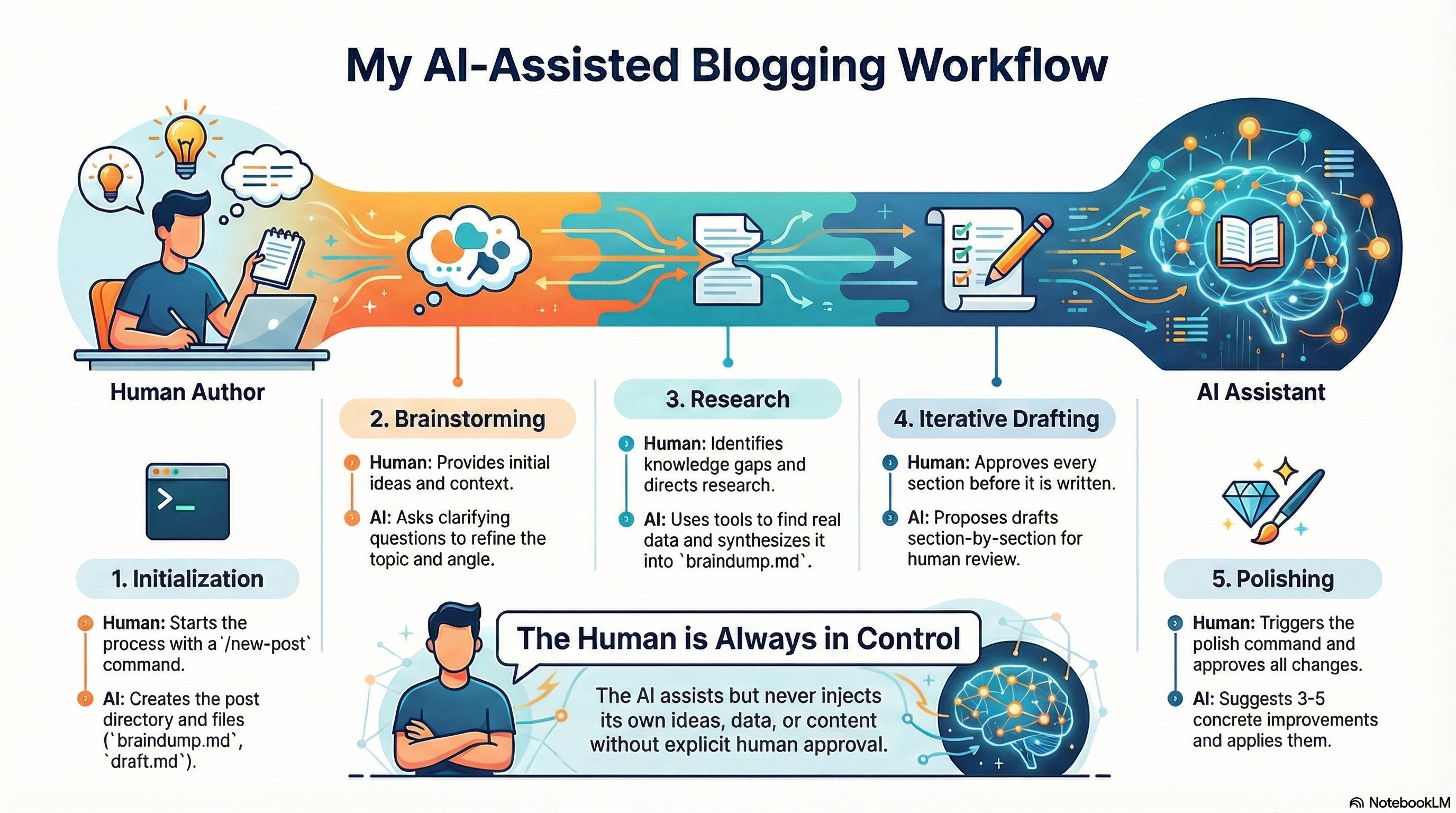
Each set of skills shapes how Claude helps me. The blog writing skill, for example, knows my voice and style. It doesn’t write for me; it helps me turn rough thoughts into polished prose, section by section, with me approving each step along the way.
The pattern remains consistent–I stay in control, AI helps me get there faster
Staying Curious
I subscribe to a bunch of newsletters. Most of them either arrive packed with links I’ll never click or behind paywalls that just aggregate information from the internet.
With Gmail connected to Claude, I’ve found ways to extract value from them.
Multi-link newsletters: A newsletter arrives with 10 links to articles. I ask Claude to read the newsletter, follow the links, and give me a quick summary of each. I scan the summaries and only read the ones that look interesting. (transcript)
Paywalled content: Some newsletters tease an interesting topic but keep the full article behind a paywall. I ask Claude to read the preview, research the subject online, and summarize the findings. It isn’t a perfect substitute, but often good enough ¯\_(ツ)_/. (transcript)
Email digest: For newsletters that pile up, I use Gmail filters to collect them and ask Claude to transform them into a readable digest.
I prefer my emails organized by theme, not by email, with key insights bolded and fluff stripped out. It’s not a summary that skips things; it’s a reformatted version that’s actually pleasant to read. (transcript)
I get through newsletters in a fraction of the time. The summaries skip the noise and strip out the storytelling—I get 80% of the content in 5% of the time. For most things, that’s enough. And the stuff I really care about? That’s where I choose to go deep.
Here is my current prompt:
Transform these emails into an easy-to-read digest. Not a summary - a
complete rundown that doesn't skip key ideas or helpful information.

<approach>
- Reframe content for clarity and retention, not word-for-word
condensation
- Use narrative flow where it helps - connect related ideas across
emails
- Structure by topic/theme, not necessarily by email
- Preserve the sender's voice where distinctive

Format with:
- Clear section headers
- Bold for key insights
- Tables for comparisons when useful
- "Quick Recall" anchors at the end for important takeaways
- For newsletters that have external articles, scan all non-sponsored content and present that instead
</approach>

<remove>
- Greetings, sign-offs, pleasantries
- Promotional fluff (note skipped promos as "[Skipped: promo from X]")
- Redundancies across emails
</remove>

<preserve>
- All substantive content: concepts, insights, examples, data
- Dates, names, links, action items
- Nuance and context are needed to understand the ideas
</preserve>

<emails></emails>The Little Things
A few smaller things that have become routine:
Deep research: When I want to go deep into a topic (to indulge my curiosity or compare products before buying), I’ll use Claude’s research mode or Grok.
Claude’s version is slower (it can run for up to 45 minutes) but more thorough. It’ll chase down multiple angles and come back with something surprisingly comprehensive. Grok is faster for quick answers. I use both depending on what I need.
Dictation: VoiceInk and MacWhisper have made voice input easy to use on Mac. VoiceInk runs locally (privacy win: nothing leaves my machine). I use it for prompts, messages, and dumping rough thoughts that I refine later. This is particularly great while vibe coding, brainstorming, and writing workflows.
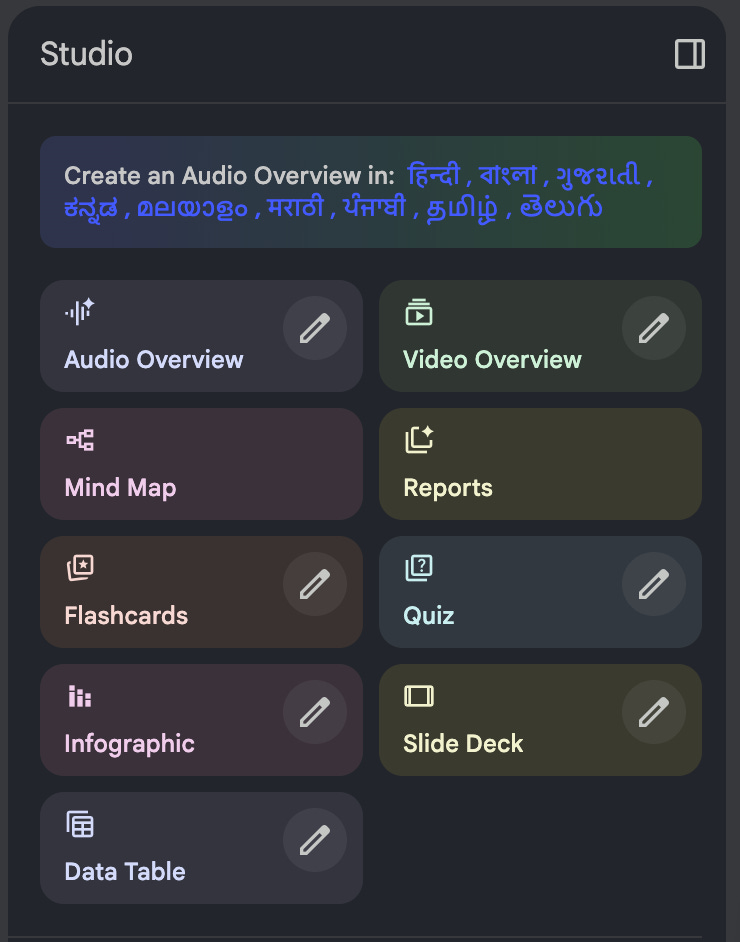
NotebookLM: For longer documents (State of AI reports, blog archives from writers I follow, anything too dense to read in one sitting), I’ll feed it to NotebookLM.
The standout feature is Audio Overviews–it generates a podcast-style conversation between two AI hosts discussing your sources. Not robotic text-to-speech, but an actual back-and-forth discussion. SNL made a fun sketch on this. But honestly, it’s wild how good it is. I’ve used it to turn hundred-page reports into audios I can absorb while walking.
Recently, NotebookLM has added a bunch of cool ways to transform content. I highly encourage you to check it out, if you haven’t already.
The common thread: AI helps me get to the interesting parts faster. It doesn’t replace my thinking–it sharpens it. It doesn’t generate content for me–it helps me figure out what I actually want to say/read/do. I remain in control.
A realization: The workflows that stick around for long aren’t the ones that do things for me–they’re the ones that make me good where I’m bad, and better where I’m good.
And there’s more to why this works. It has to do with knowing which parts of your expertise are worth turning into reusable skills and prompts. I’ll dig into that in the next post.
(Thanks to my wife for proofreading this blog. She didn’t ask me to write this. Really.)